


U9Play Deposit – Fast, Secure, and Convenient Top-Up Methods
How to Make a Deposit on U9Play
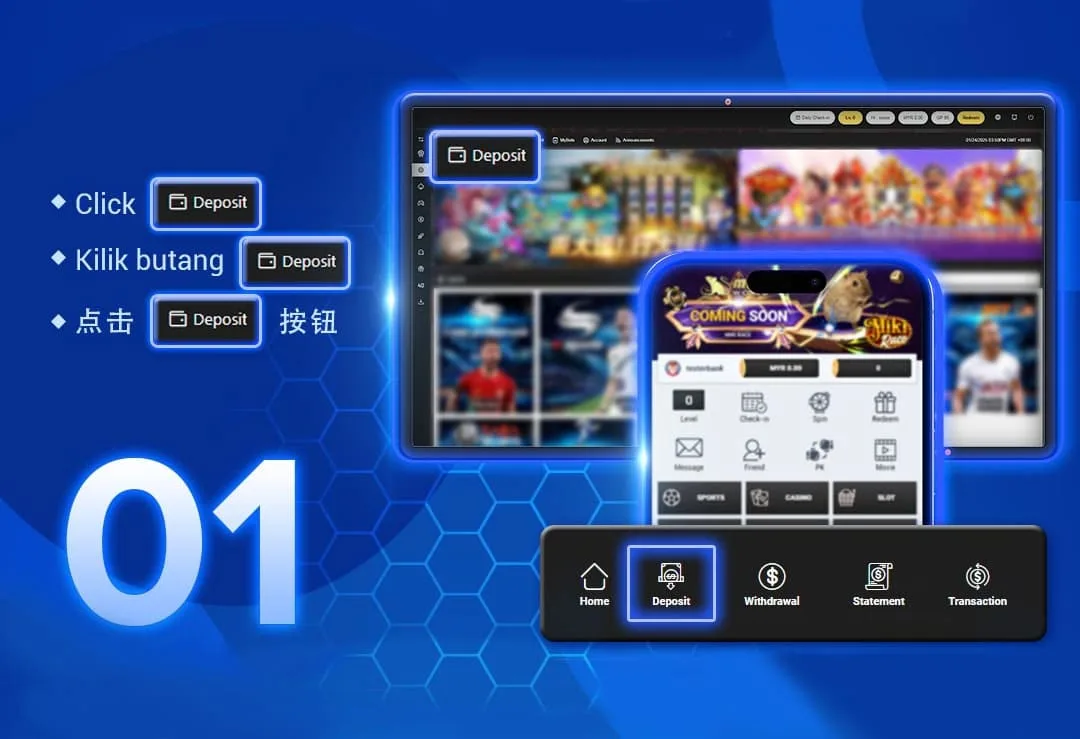
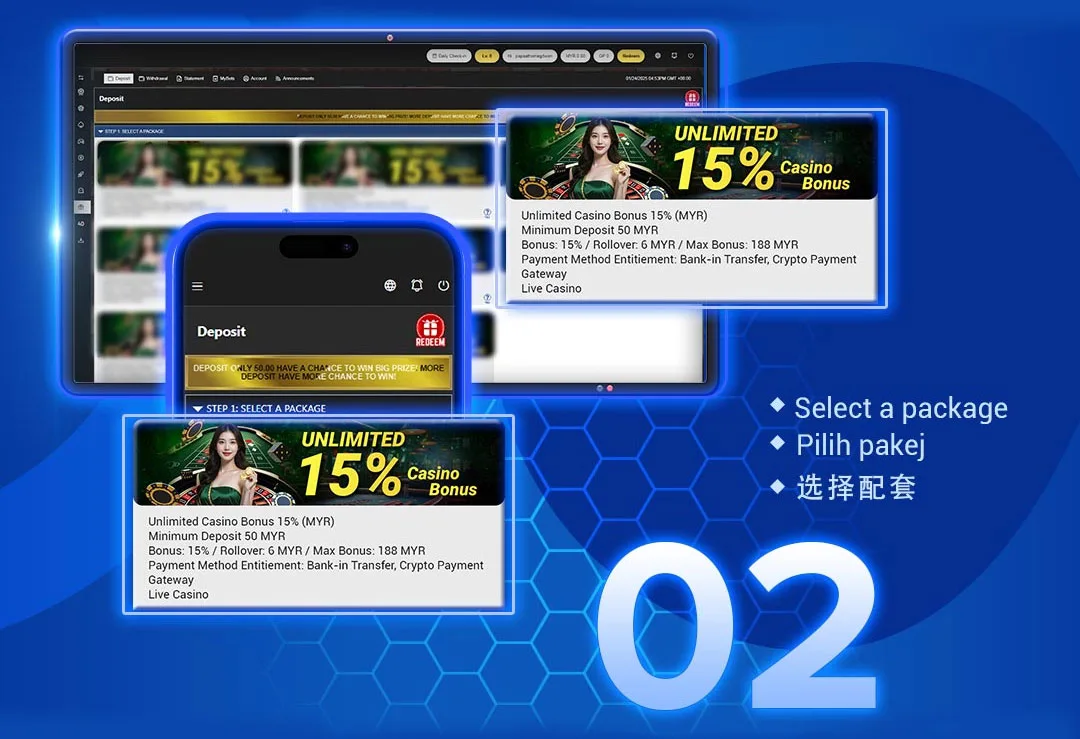
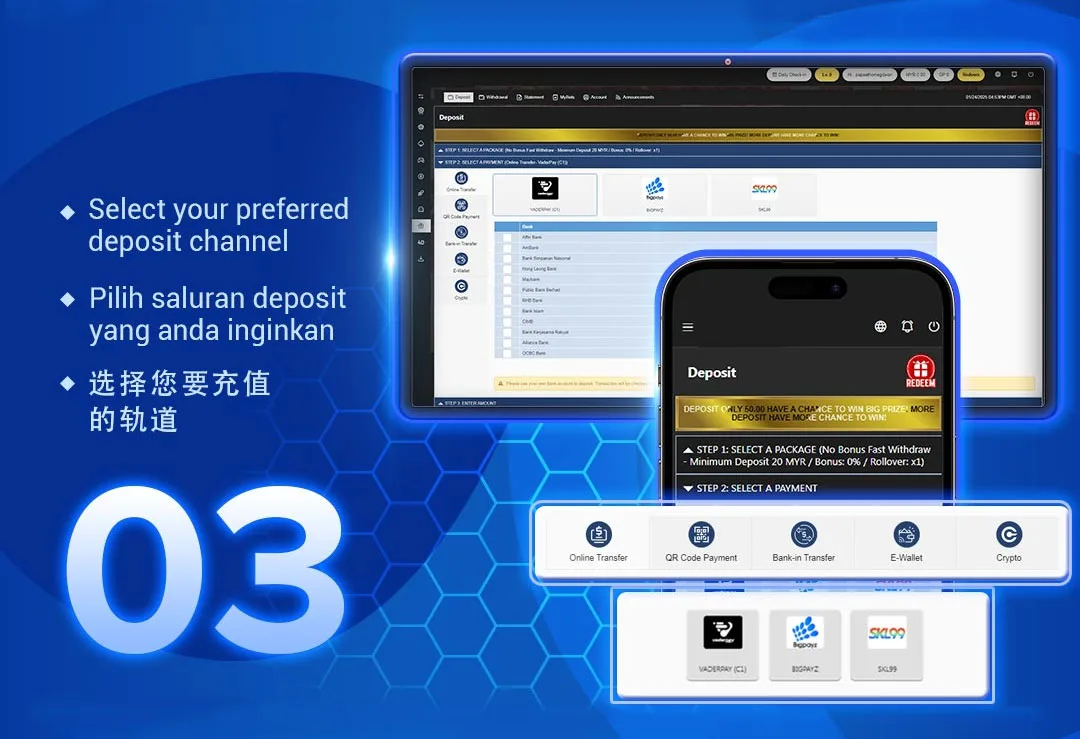
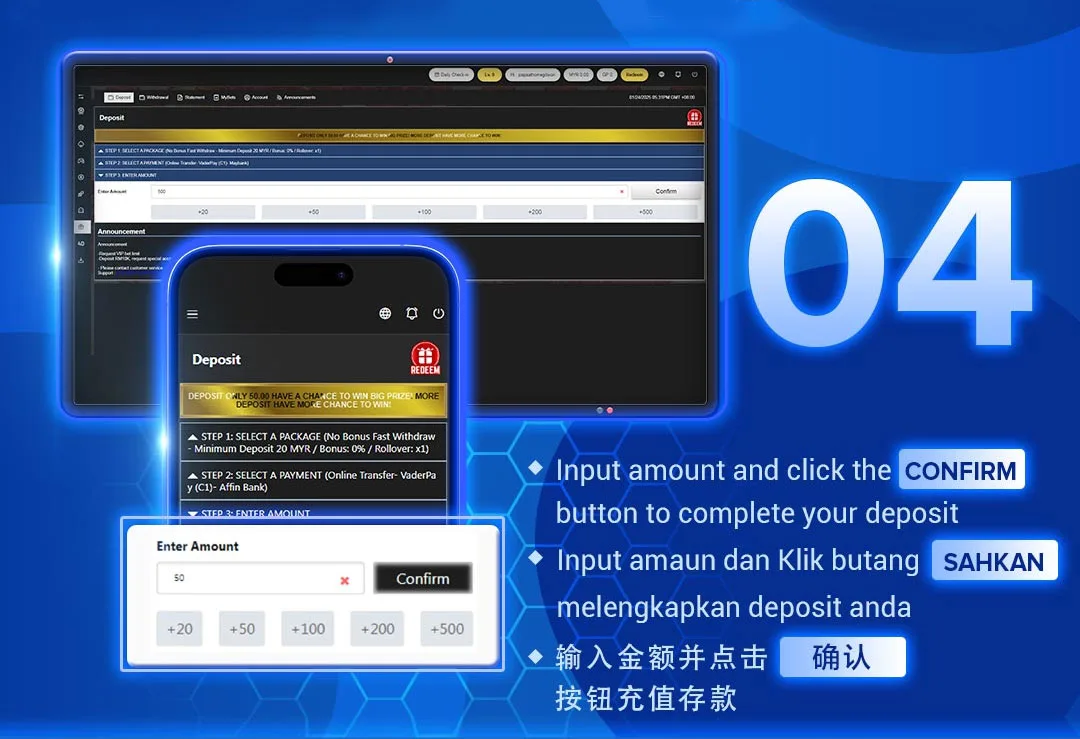
Click “Deposit” Button
Log in and tap the Deposit button (bottom bar or top menu) on desktop or mobile.
Select a Package
Choose 1% Bonus, 2% Bonus, 10% Slot Bonus or any active promotion.
Pick Payment Channel
Bank Transfer · QR Code · E-Wallet · Crypto — you decide!
Enter Amount & Confirm
Type your amount → Confirm → Funds appear instantly!
Supported Deposit Methods
VaderPay (C1)
Affin, AmBank, BSN, Hong Leong, Public Bank, Maybank, RHB, Bank
Islam, CIMB, Bank Rakyat, Alliance, OCBC
VaderPay (C2)
Hong Leong, Public Bank, Maybank, RHB, CIMB
BigPayz & SKL99
All major banks supported
Scan & Pay in seconds
Touch’n Go · GrabPay · Boost · ShopeePay · DuitNow QR
(via VaderPay C2 & SKL99)
Deposit directly to U9Play’s bank account.
Upload receipt or use registered bank name for instant verification.
A9Wallet · VaderPay DuitNow EWallet
Super-fast top-up with instant credit.
USDT (TRC20)
Global players can deposit securely via blockchain.
Fully verified on-chain.
Deposit Tips and Important Notes
Important Reminders
- Always use your own registered bank account
- Third-party deposits will be rejected
- Deposits above MYR 10,000 → contact Customer Service
- Many deposits qualify for Lucky Draw spins or bonus promotions
All transactions are encrypted & processed in real-time — your money is safe and appears instantly!
Why Choose U9Play Deposit System
Bank · QR · E-Wallet · Crypto — pick whatever works for you
Works with all major Malaysian banks & top digital wallets
Deposit now → Play immediately. Zero waiting time!
Deposit Now and Start Playing Instantly
Visit u9playmy.com/deposit to top up securely using Online Transfer, QR Code, E-Wallet, or
USDT (TRC20).
Enjoy exclusive deposit bonuses and start winning today!